To Create a Sources Sought Activity (CIO-CS)
In the Left Rail in the e‑GOS Dashboard, click Create, then click CIO-CS (Commodities & Solutions).
In the CIO-CS (Commodities & Solutions) page, click Sources Sought.
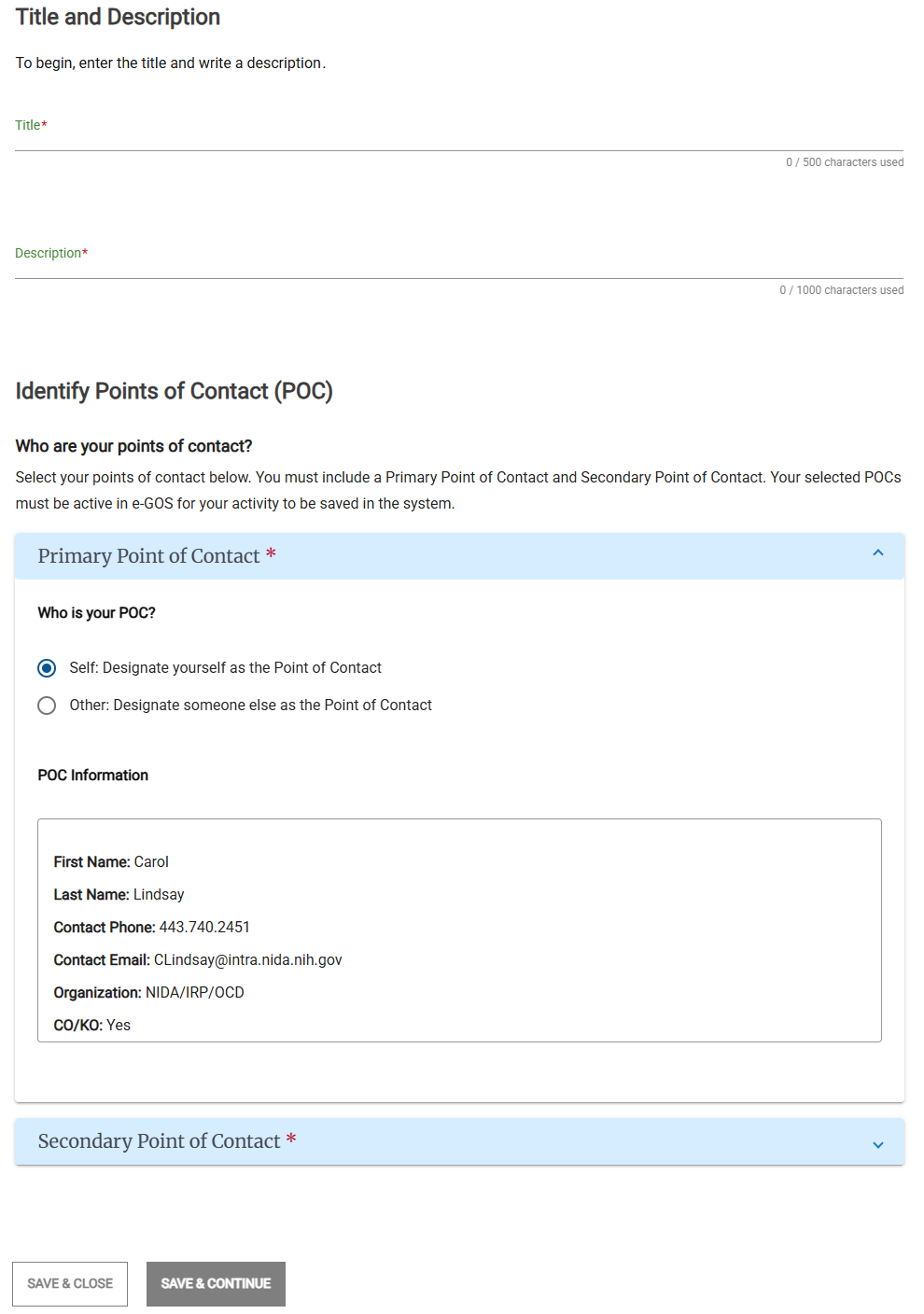
Specify the title, description, and points of contact:
In the Title, Description, and Points of Contact page, enter the following information:
Title
Description
Point of Contact
Secondary Point of Contact
Note
You must select one Primary and one Secondary Point of Contact. Both contacts must be active in e‑GOS.
In the Primary Point of Contact area, do one of the following to set the Primary Point of Contact:
Click Self to make yourself the Primary Point of Contact.
Click Other, then search for a Point of Contact in your organization who already has an e‑GOS account or select one of the suggested users.
Note
You can send an invitation to users who do not have an e‑GOS account. Until the user registers for e‑GOS, you cannot add them as a Point of Contact. You can wait for the user to register or select a different point of contact for the Activity.
In the Is the Primary POC a Contracting Officer? area, select Yes or No.
Click the Secondary Point of Contact or the disclosure triangle
 and set the Secondary Point of Contact.
Click Save & Continue.
Specify the schedule:
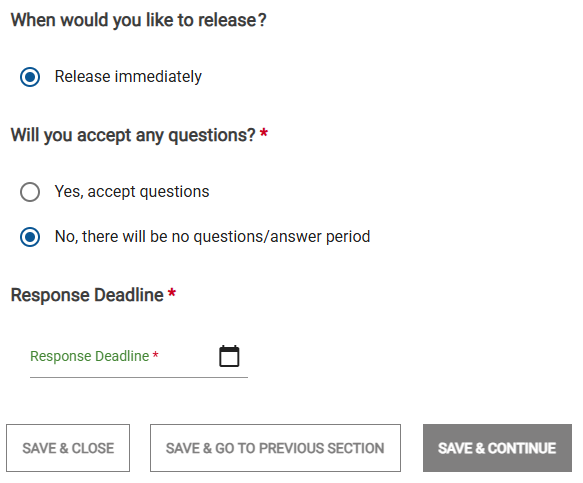
On the Determine your Schedule page, in the When would you like to release? area, select one of the following:
Release immediately
Release on specific date, then select the date to release.
Note
Depending on the type of item that you're creating, some options may not appear or may be dimmed.
In the Will you accept any questions? area, select one of the following:
Yes, accept questions, then select the Question Submission Deadline.
No, there will be no questions/answer period.
Note
All dates must be in the future; you cannot select a date in the past.
If you accept questions, the Question Submission Deadline must be after the Release Date.
The Response Deadline must be after the Release date and any Question Submission Deadline.
The Anticipated Award Date must be after both the Release date, the Question Submission Deadline, and the Response Deadline.
Select the Response Deadline.
Click Save & Continue.
Specify the contractors to include:
In the Determine Your Contractor Selection page, in the Which Type of Contract Holder(s) would you like this request sent to? section, select one or more Contract Holder types. You must select at least one type.
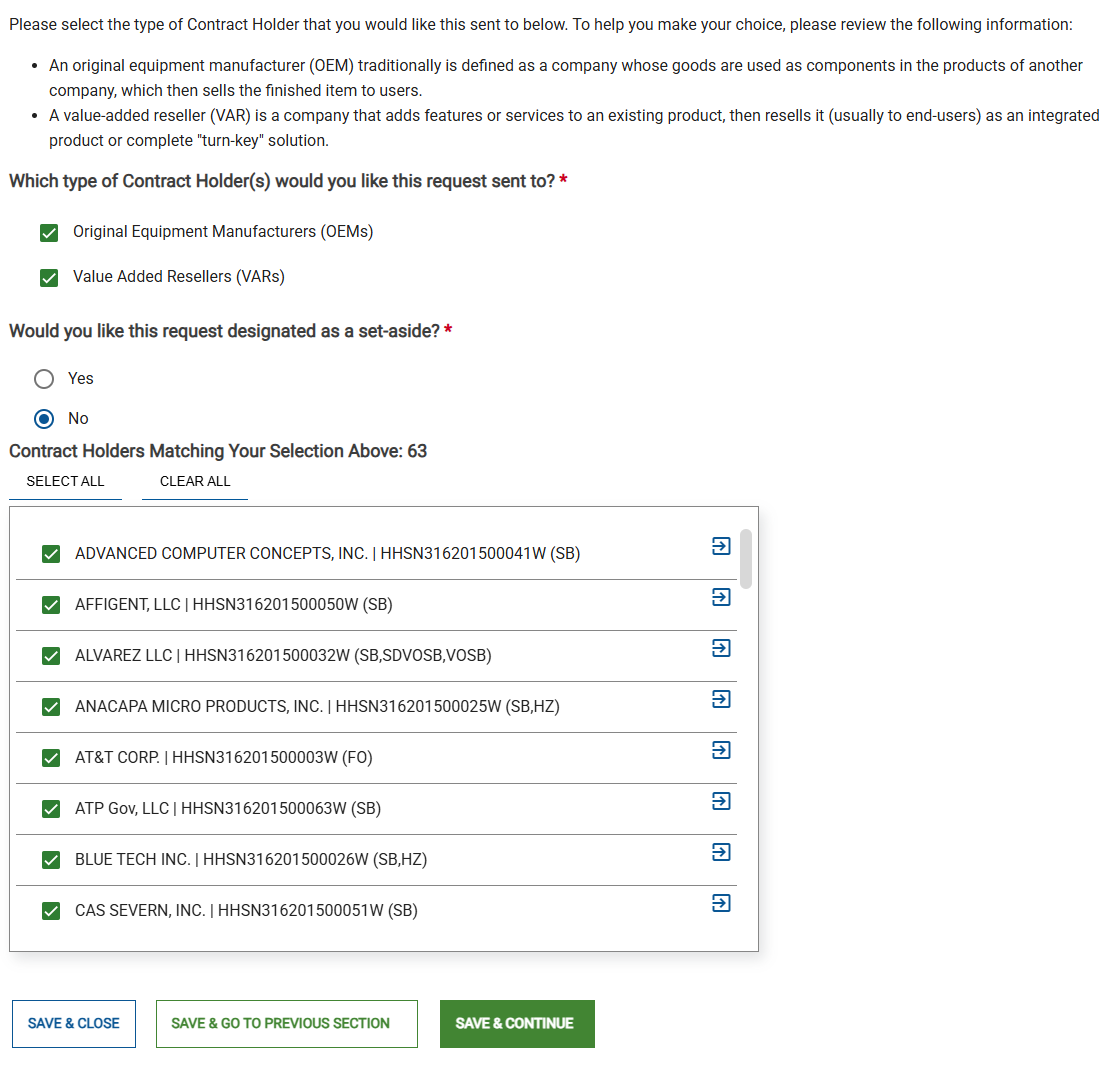
In the Would you like this Activity designated as a set-aside? area, select Yes or No,
If you selected Yes, in the Select one category to set this requirement aside for list, select one category.
Tip
For more information about set-asides, see the Federal Acquisition Regulation (FAR).
The Contract Holders Matching Your Selection Above list shows all matching contract holders. The request will be sent to all selected contract holders.
Tip
You can use the Select All and Clear All buttons and the check boxes to select the contract holders to include.
You can click the arrow (
 ) button to access a company's website for more information.
Click Save & Continue.
Upload any needed documents:
You must attach all documents needed to define your Activity.
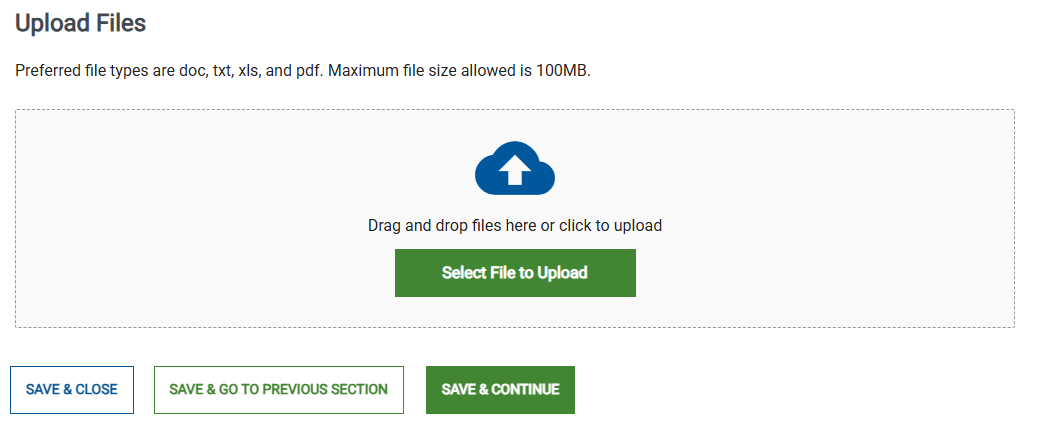
When you have uploaded all needed supporting documents, click Save & Continue.
Review the Activity:
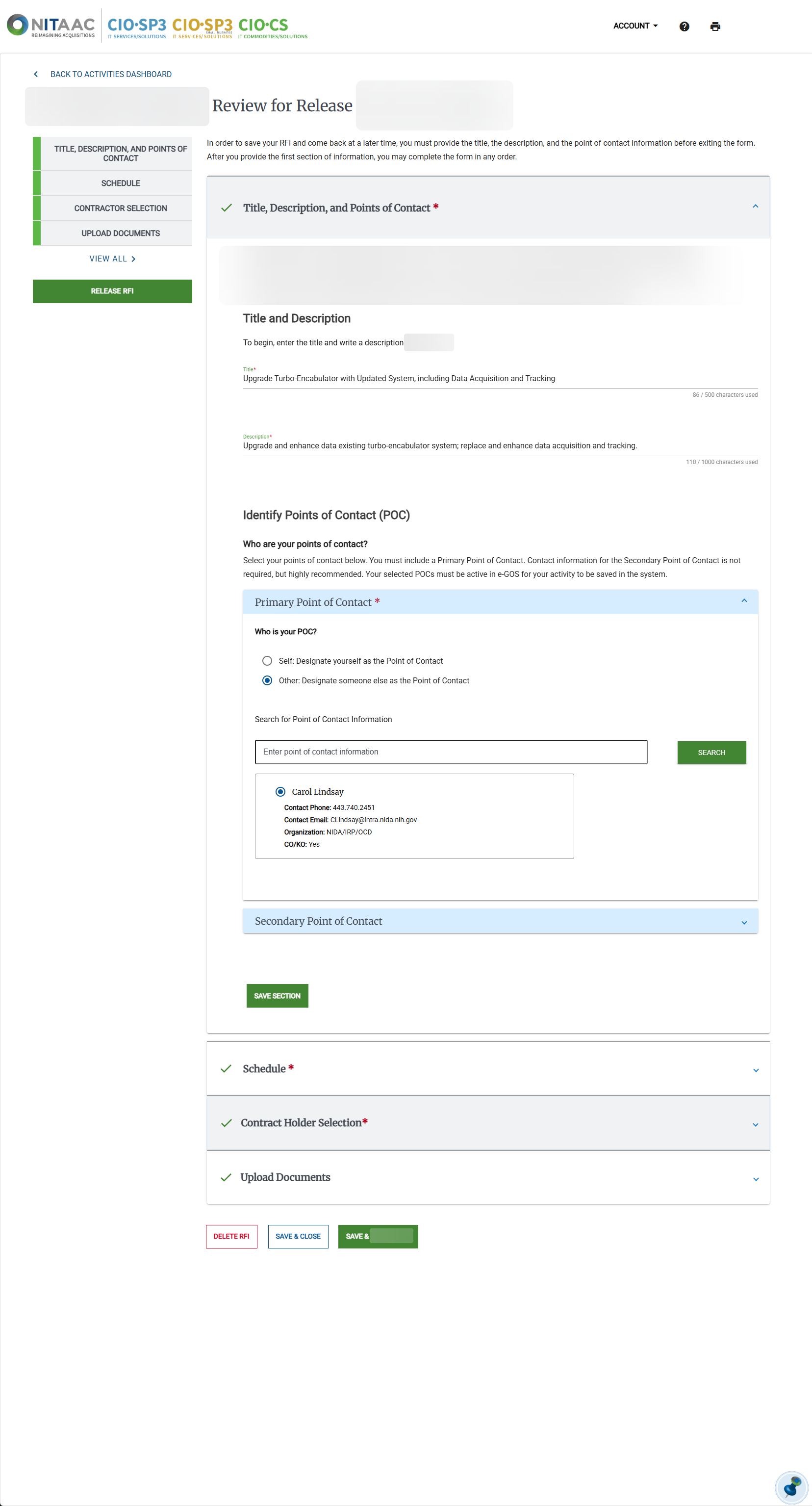
In the Review page, review the information for accuracy and make any needed changes.
Tip
One section appears for each page used to create the Activity.
To expand a closed section, click the down arrow (
) beside the group name.To hide the information in an open section, click the up arrow (
 ) beside the group name.
Click Save & Submit To NITAAC.
Click Save & Release.
Release the Activity to Contract Holders:
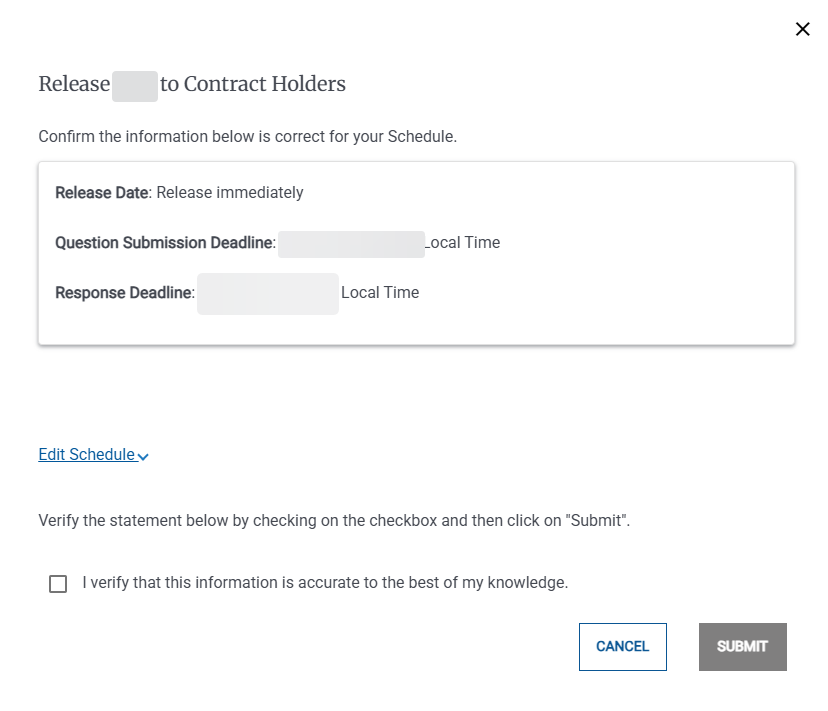
In the Release to Contract Holders pop-up, review the information.
Tip
You can click Edit Schedule to make changes to the schedule if needed.
Select the I verify that this information is accurate to the best of my knowledge checkbox.
Click Submit.
In the Successfully Submitted pop-up, click Go To e‑GOS Dashboard.