Accessibility in e‑GOS
The Electronic Government Ordering System (e‑GOS) system lets you change the colors and other appearance settings to help you read and interact with pages. The changes available include the following:
Contrast
Link Highlights
Text Size
Text Spacing
Pause Animations
Hide Images
Dyslexia-Friendly Font
Cursor Size
Set Line Height
Align Text
Color Saturation
Location and visibility of the accessibility button.
When you change a setting, that setting only applies to you. It does not affect any other users.
You can also make these changes separately in the e‑GOS help.
To Use the Accessibility Features
On any page in e‑GOS, click the Accessibility
 button or press Control-U.
The button normally appears in the bottom right or bottom left of the e‑GOS window.
The Accessibility Menu appears.
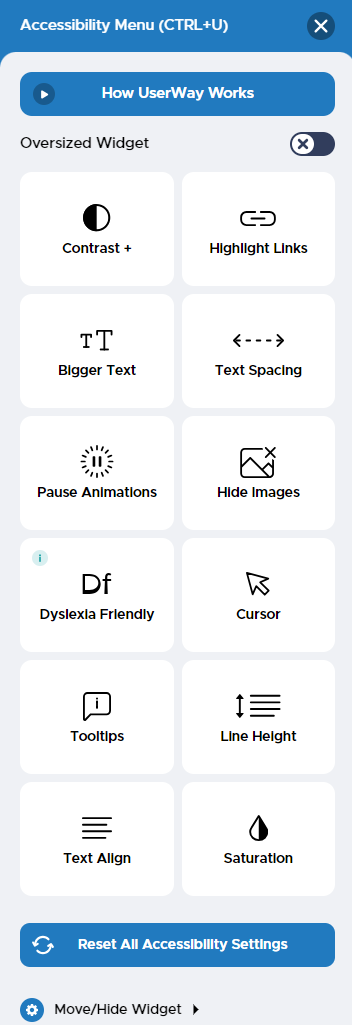
In the Accessibility Menu, make any needed changes to the e‑GOS appearance.
When you're satisfied, click the Close
 button in the top right of the Accessibility Menu.