Manage Credit Requests
A NITAAC Finance user creates the credit request and adds any needed documentation. When the user submits the request for approval, e‑GOS notifies the NITAAC Contracting Officers for the GWAC that the request is pending.
When the Contracting officers log in to e‑GOS, any pending requests appear in the user's Activity Alerts dashboard.
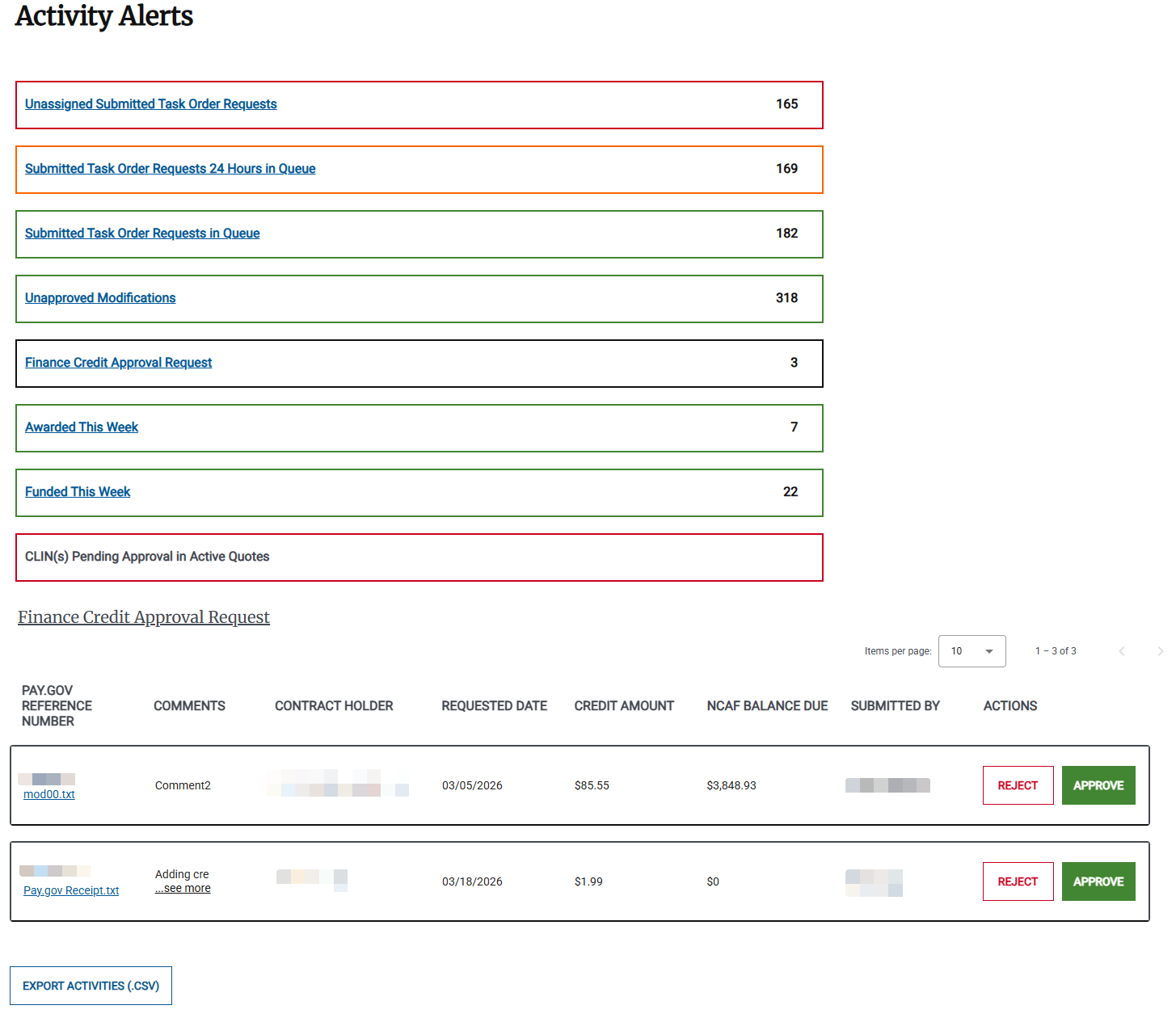
The following items appear in the Activity Alerts table for Finance Credit Approval Requests:
Pay.Gov Reference Number | The reference number for the payment that generated the credit. |
File Name | The name of the file associated with the request. You can click the file name to download it to your computer. |
Comments | Comments on the credit request by the Finance user who entered it. |
Contract Holder | The Contract Holder the credit is for. |
Requested Date | The date that the request was created. |
Credit Amount | The amount of the credit. |
NCAF Balance Due | The Contract Holder's current NCAF balance due. |
Submitted By | The user who created the request. |
Actions | The actions that you can take. |
To Approve a Credit Request
When a Finance user creates a request to add credit to a Contract Holder account, a NITAAC Contracting Officer for the GWAC reviews and approves it before the credit is available. Only a Finance User can add a credit request. Only a NITAAC Contracting Officer can review and approve the request.
For information about managing credit requests, see Manage Credit Requests.
For information about adding a credit, see To Add Credit.
For information about rejecting a credit request, see To Reject a Credit Request.
In the Left Rail, click Activity Alerts.
In the Activity Alerts dashboard, click Finance Credit Approval Request. The list of pending Finance Credit Approval Requests appears.
Locate the credit request and review it. To approve it, click Approve.
Tip
The file attached to the request appears below the Pay.Gov Reference number. You can click the file name to download and review it before you act on the credit request.
To Reject a Credit Request
When a Finance user creates a request to add credit to a Contract Holder account, a NITAAC Contracting Officer for the GWAC reviews and approves it before the credit is available. Only a Finance User can add a credit request. Only a NITAAC Contracting Officer can review and approve the request.
For information about managing credit requests, see Manage Credit Requests.
For information about adding a credit, see To Add Credit.
For information about approving a credit request, see To Approve a Credit Request.
In the Left Rail, click Activity Alerts.
In the Activity Alerts dashboard, click Finance Credit Approval Request. The list of pending Finance Credit Approval Requests appears.
Locate the credit request and review it. To reject it, click Reject.
Tip
The file attached to the request appears below the Pay.Gov Reference number. You can click the file name to download and review it before you act on the credit request.
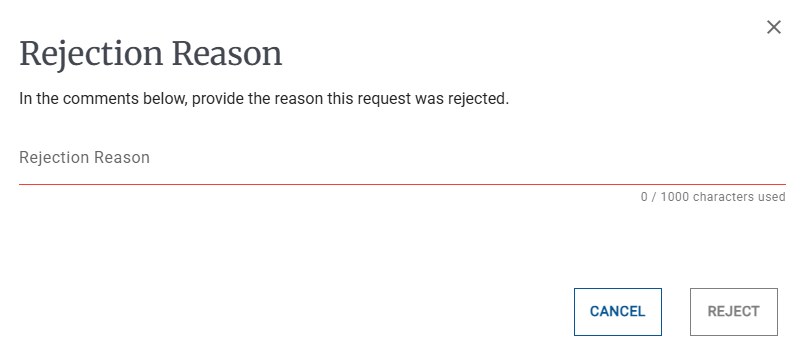
In the Rejection Reason pop-up, enter the reason for the rejection, then click Reject. The e‑GOS system notifies all Finance users of the rejection.