Review Awards
After the Federal Customer issues an award to a Contract Holder, NITAAC reviews the award before release.
To Review an Award
On the Activities dashboard click the ID of the order.
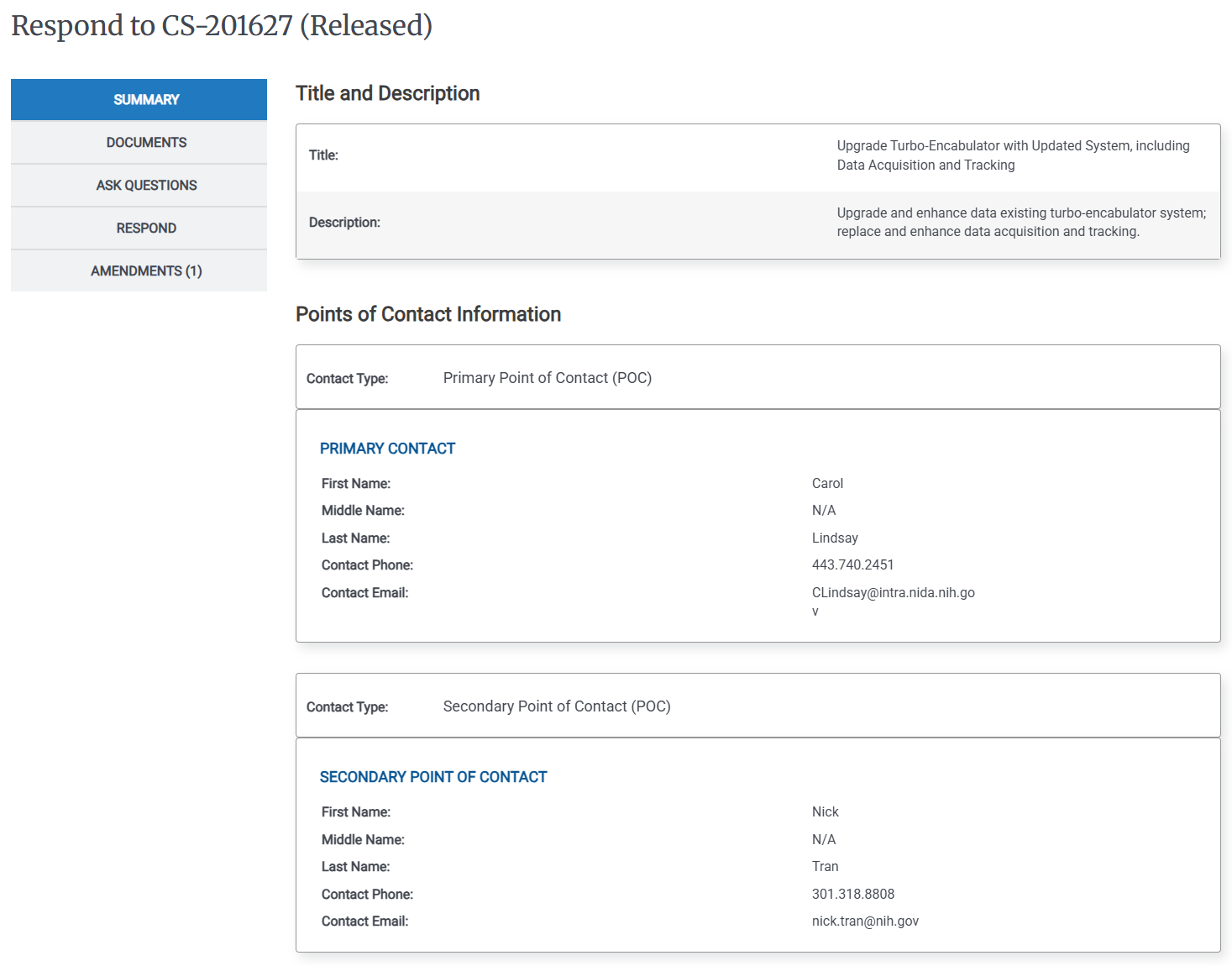
In the Left Rail, click Compete.
In the Left Rail, click Report Award. The Award Decision page appears.
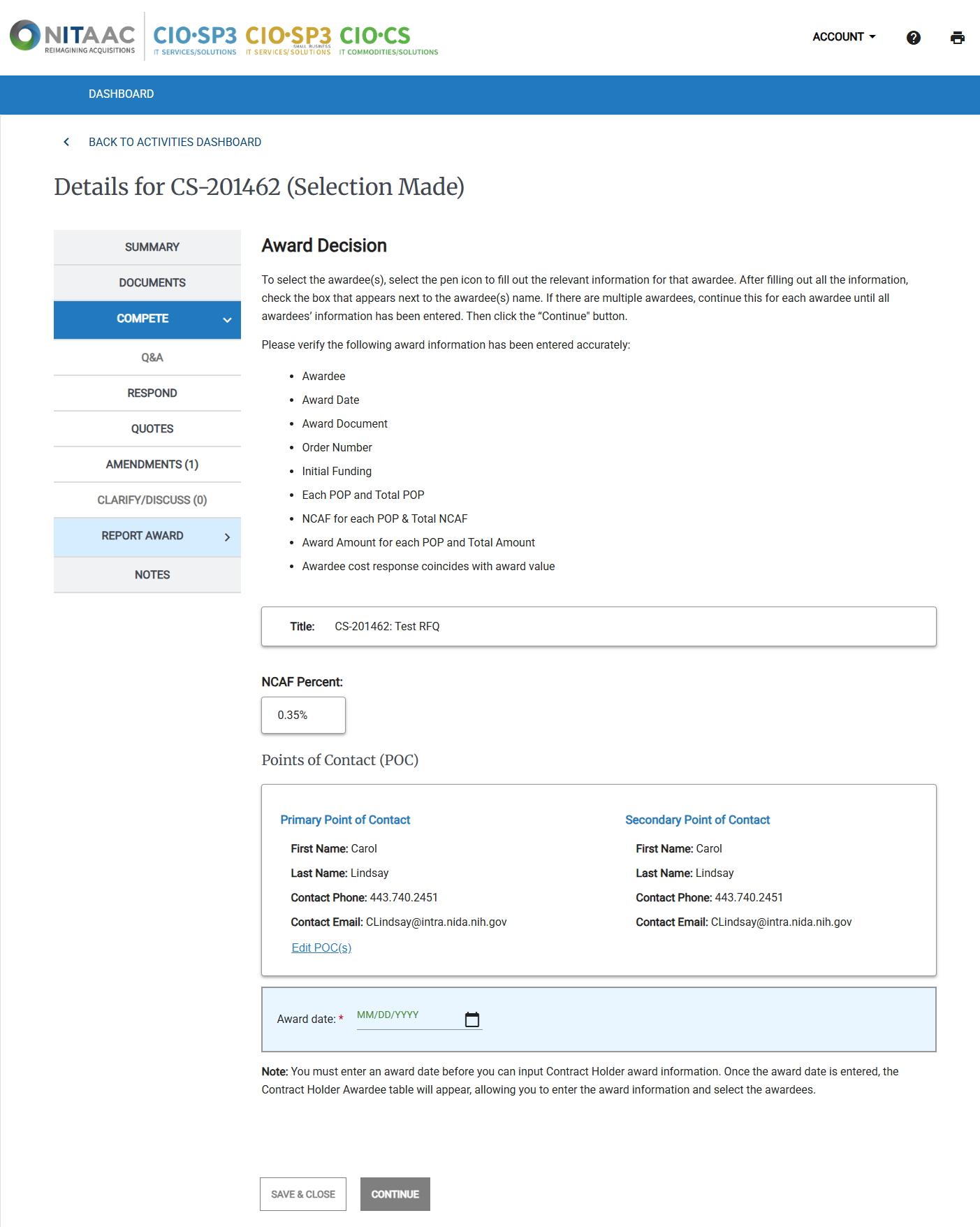
The Contract Holder Awardees area lists all of the Contract Holders who responded to the Activity with a quote. For each Contract Holder Awardee, click the Down arrow (
 ) to view the award details. If you need to make a change, click the Pencil (
 ) icon.
When you have reviewed all of the Awardees, select the checkbox for each awardee, then click Continue. The Contract Holder Awardees pop-up appears.
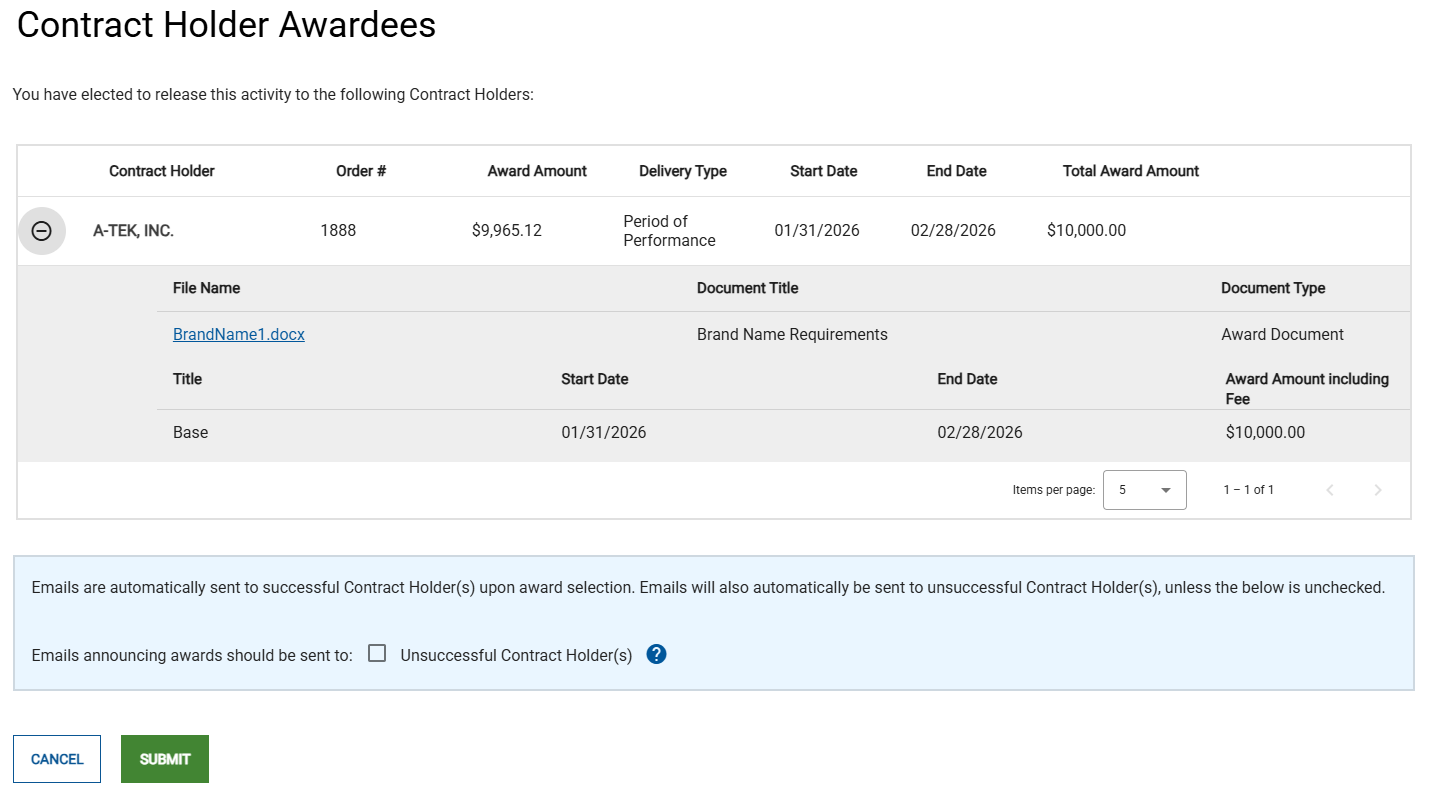
Contract Holder Awardee Pop-Up for Most Activity Types
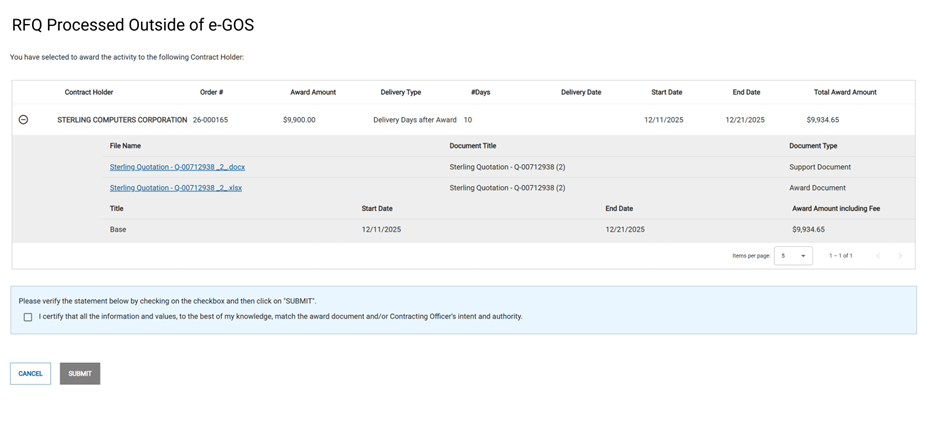
Outside System Order Pop-Up
Verify the information for each Contract Holder Awardee in the pop-up, then do one of the following: click Release to release the Activity to the Contract Holder Awardees.
For Most Activity Types: Click Release to release the Activity to the Contract Holder Awardees.
For Outside System Orders Only: Select the I certify that all the information... checkbox, then click Submit to release the Activity.
Note
When the Activity was created or awarded by the Customer, they specified if an email announcing the award should be sent to unsuccessful Contract Holders. If they did, the Emails announcing awards... checkbox is selected. You cannot make changes to this option when you review the award.