To View Amendments in Activities
In the Activities dashboard, locate the Activity that you want to see Amendments for and do one of the following:
Click the Activity ID number.
Click Open.
Tip
You can use the Search options to locate the Activity that you want to view. For more information, see To Search for an Activity.
In the Left Rail, click Amendments.
Do the following to create a new amendment:
In the Amendments List page, do one of the following:
Add or Delete Documents
In the Amendments List page, click Add/Delete Documents.
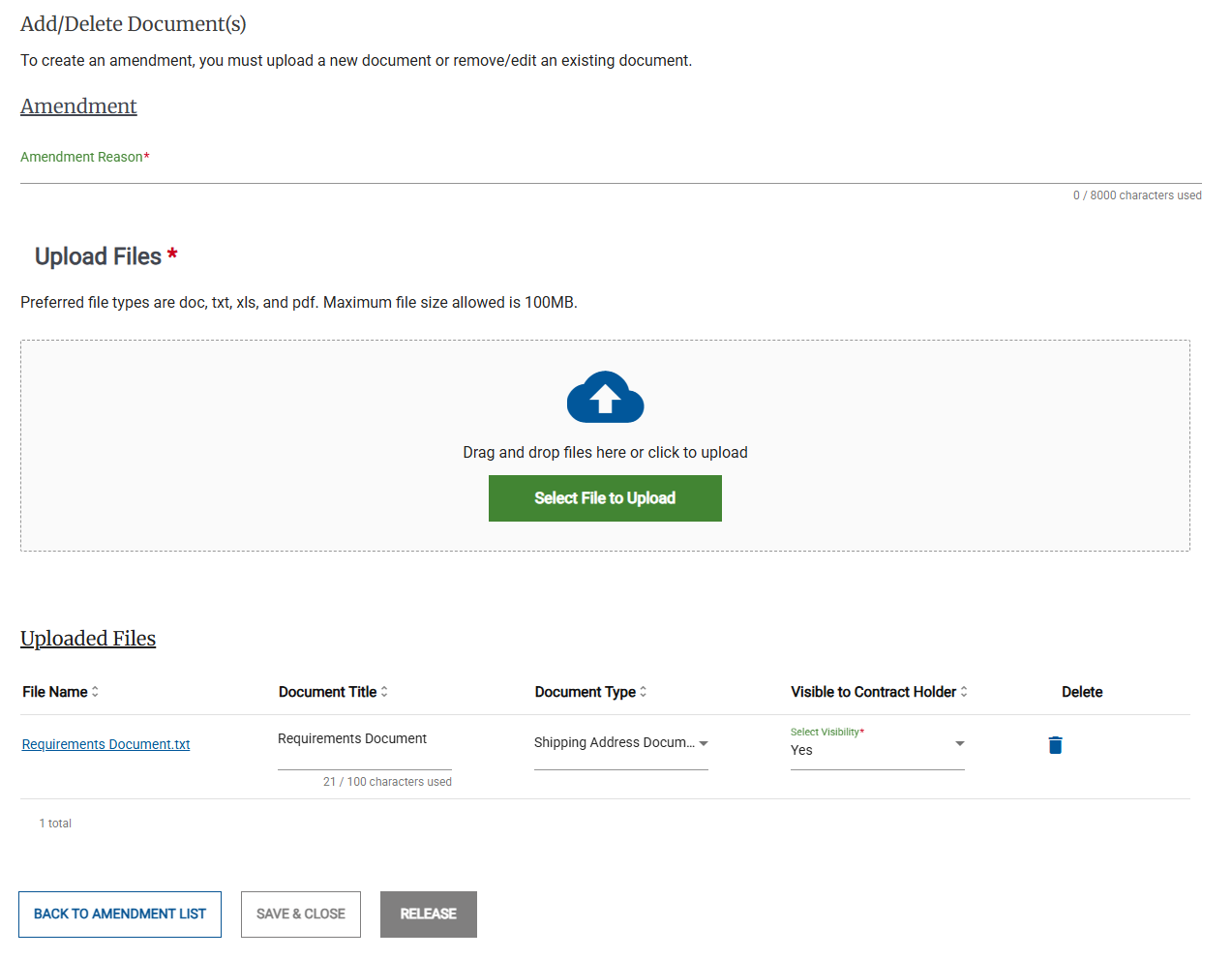
Type or paste a reason for the amendment in the Amendment Reason field.
Do one of the following:
Use the Upload Files area to upload one or more additional documents,
In the Uploaded File(s) area, delete any unneeded files.
Click Release to release the amendment to Contract Holders.
In the Release Amendment pop-up, click Release.
Create an Extension Notice
In the Amendments List page, click Create Extension Notice.
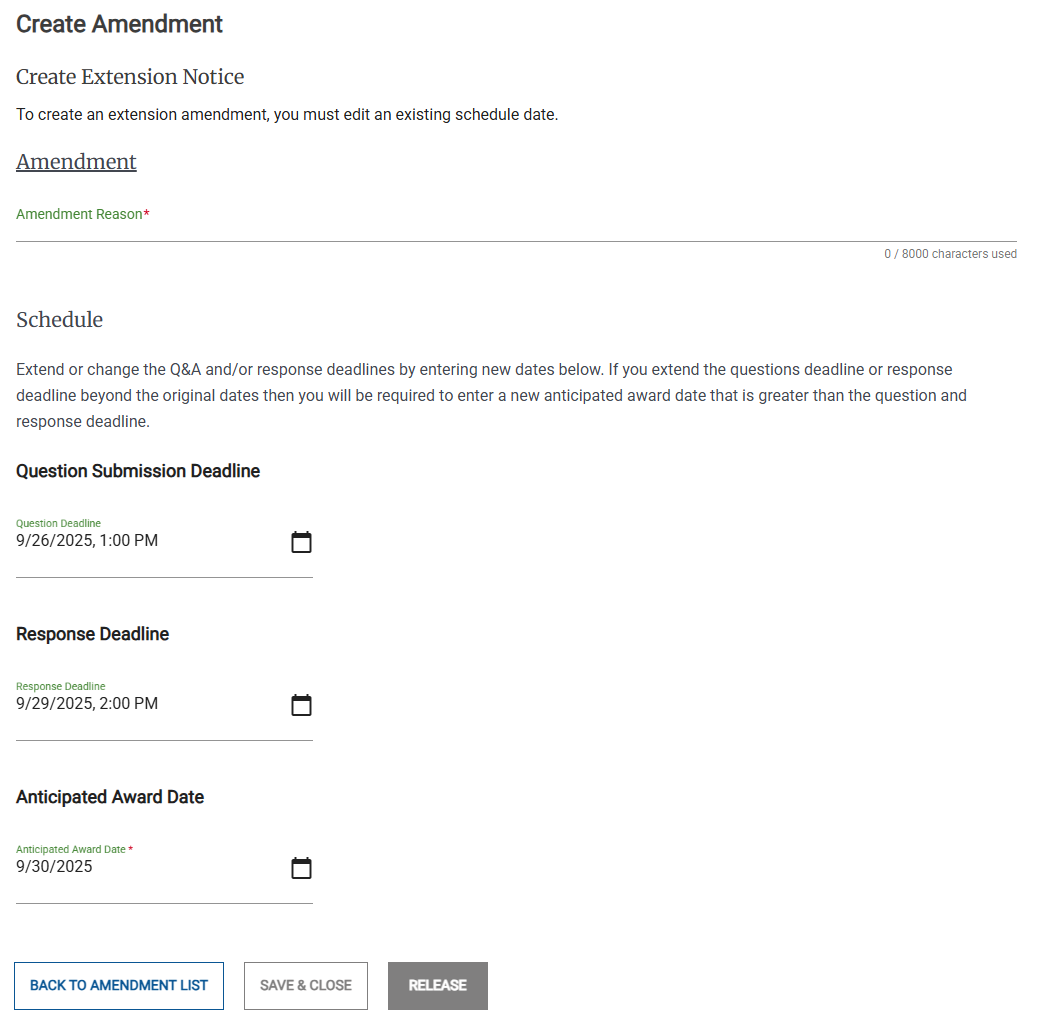
Type or paste a reason for the amendment in the Amendment Reason field.
Update one or more of the following dates:
Question Submission Deadline
Response Deadline
Anticipated Award Date
Note
The Response Deadline must be after the Question Submission Deadline.
The Anticipated Award Date must be after the Question Submission Deadline and the Response Deadline.
Click Release to release the amendment to Contract Holders.
In the Release Amendment pop-up, click Release.
Change the Activity Points of Contact
In the In the Amendments List page, click Change Points of Contact.
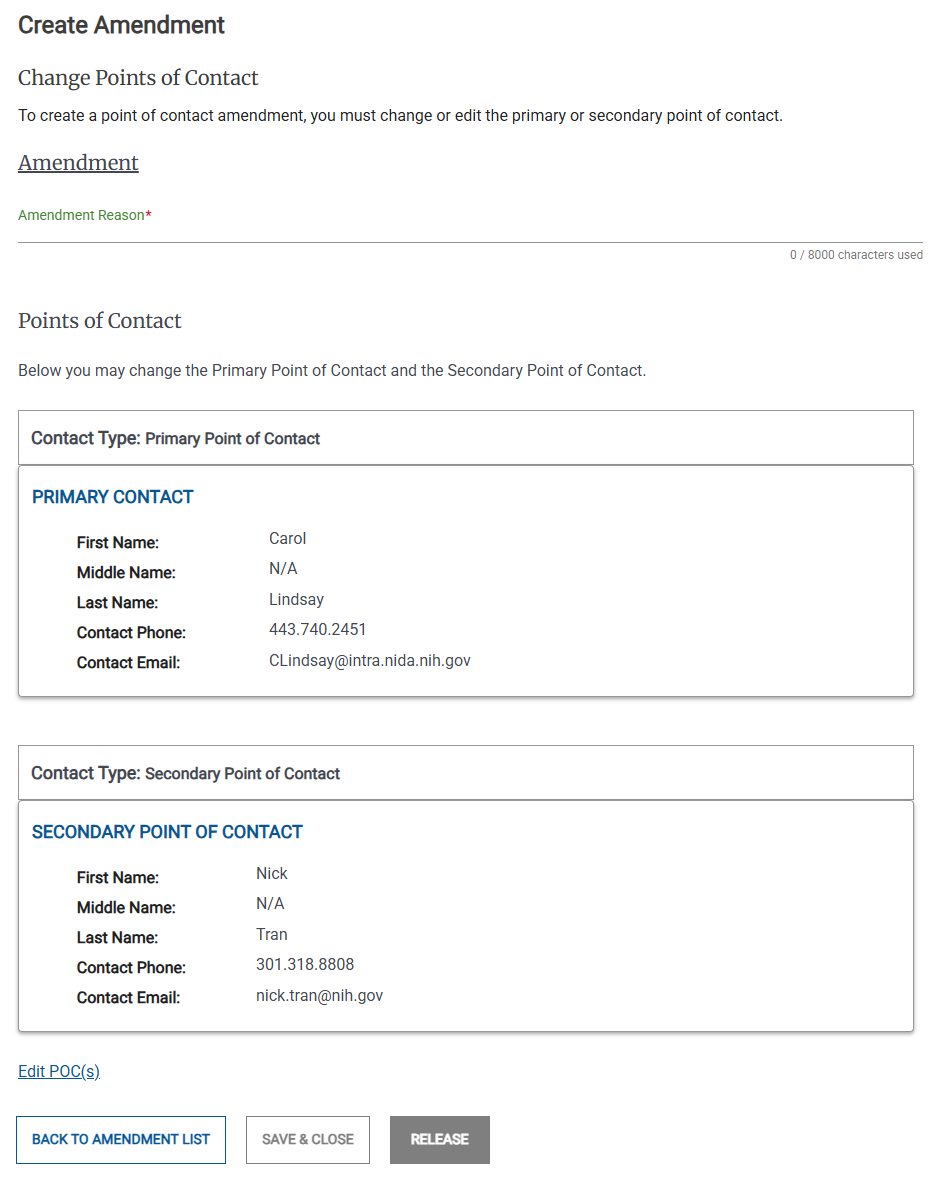
Type or paste a reason for the amendment in the Amendment Reason field.
Click Edit POC(s).
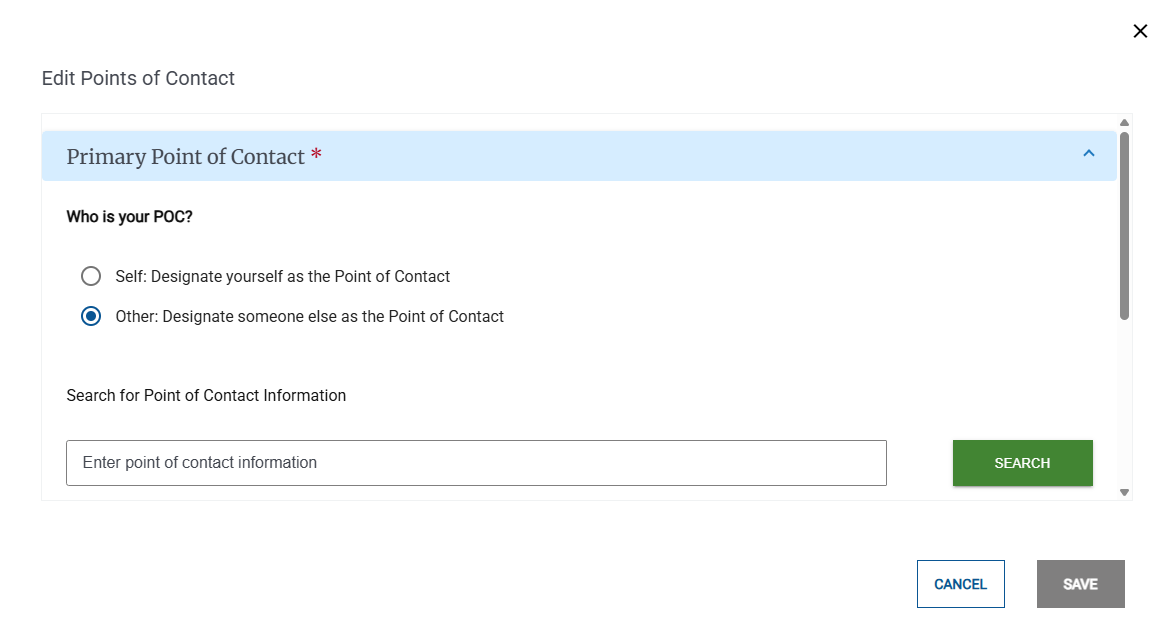
In the Change Points of Contact pop-up, make any needed changes to the Primary or Secondary points of contact.
Click Save.
Click Release to release the amendment to Contract Holders.
