To View Quotes
In the Activities dashboard, locate the Activity that you want to see quotes for and do one of the following:
Click the Activity ID number.
Click Open.
Tip
You can use the Search options to locate the Activity that you want to view. For more information, see To Search for an Activity.
In the Left Rail, click Compete.
Click Quotes. The quote page appears.
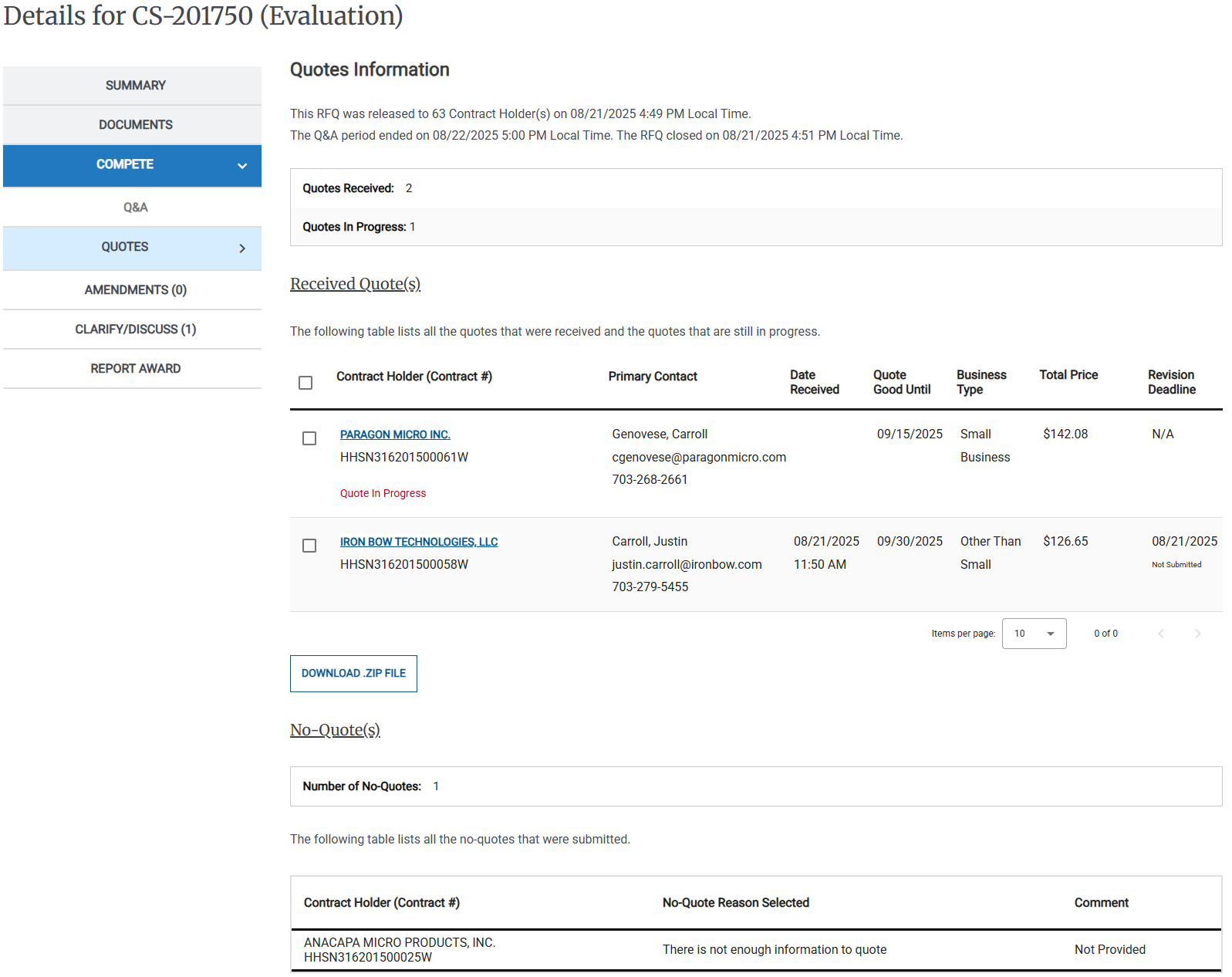
Quotes appear at the top of the page, no-quote responses appear at the bottom of the page.
Do one of the following to download quotes:
Click the name of the Contract Holder.
Select the checkbox for one or more files, then click Download .ZIP File.
Select the checkbox at the top of the Received Quotes, then click Download .ZIP File to download every file that you can access that is associated with the selected Quotes.
The file appears in your browser's Downloads folder.