To Add Credit
Start on the Contract Holder Details page.
Tip
Click the plus sign (+) next to Available Credit. The Adding Credit pop-up appears.
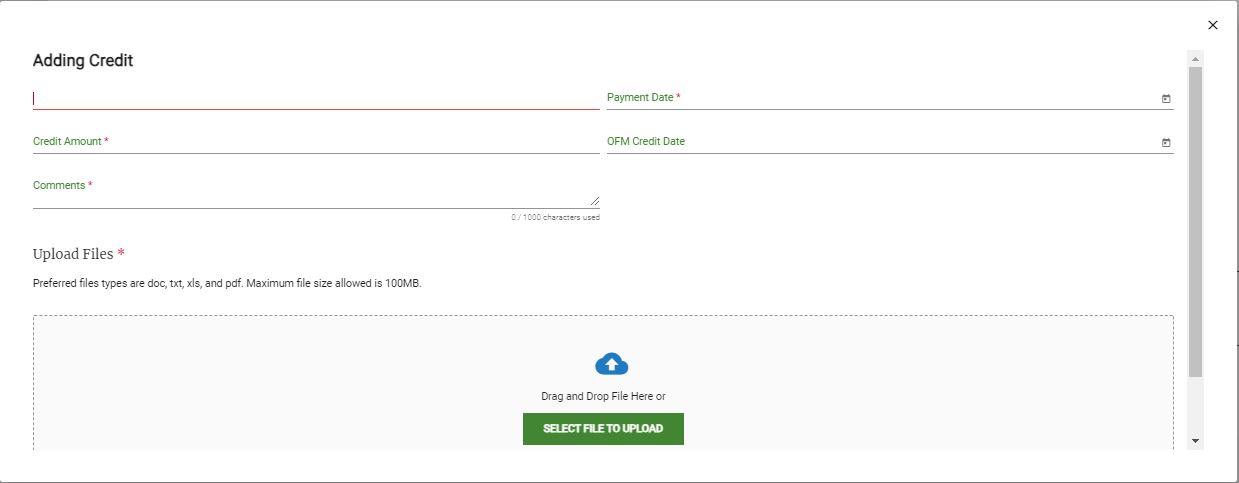
Enter the following information:
Pay.gov Reference Number
Payment Date
Credit Amount
OFM Credit Date
Comments
Click Add Credit. The updated Available Credit balance appears.
