To Review Payments
Start on the Contract Holder Details page.
Tip
Click Payments History. The payments history list appears.
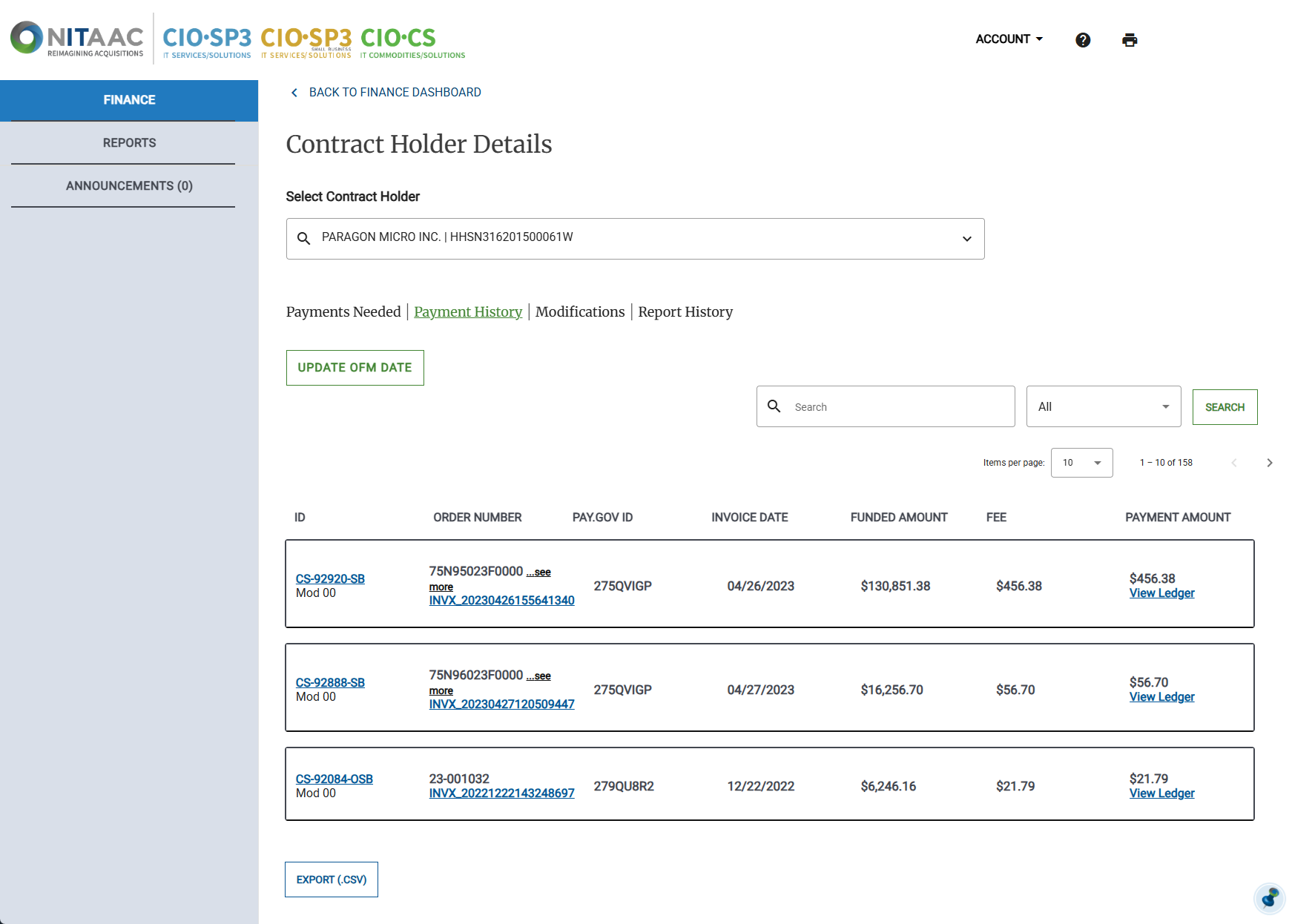
Click View Ledger for the desired order. The View Ledger pop-up appears.
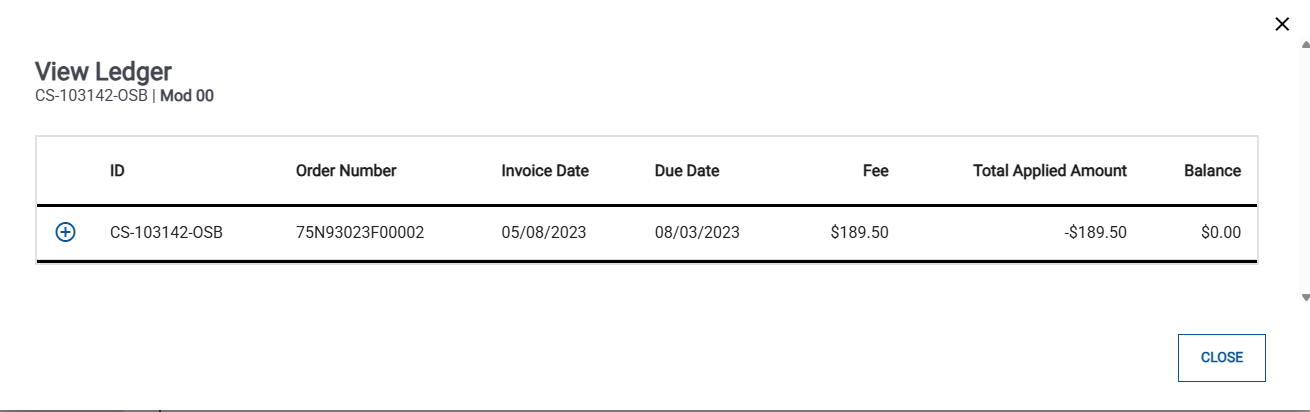
Click the plus sign (+) to expand the payment details.
Review the payment details. When you are finished, click Close.
