To Apply Partial Credit to Payment
Start on the Contract Holder Details page.
Tip
Select the checkbox
 next to the order that you want to add partial credits to.
Tip
You can only add partial credit to a single order at a time.
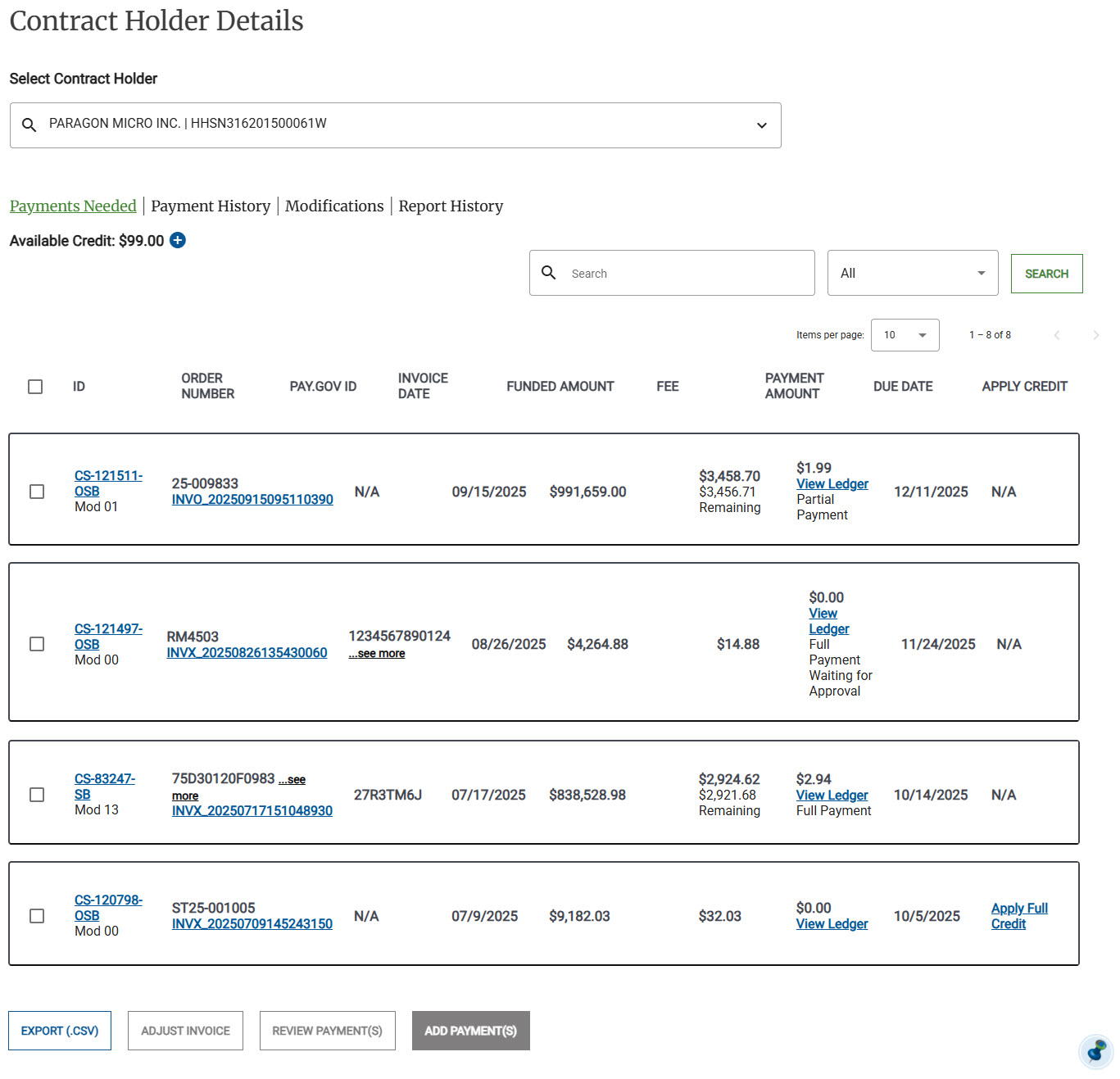
Click Add Payment(s), the Add Payment(s) page appears.
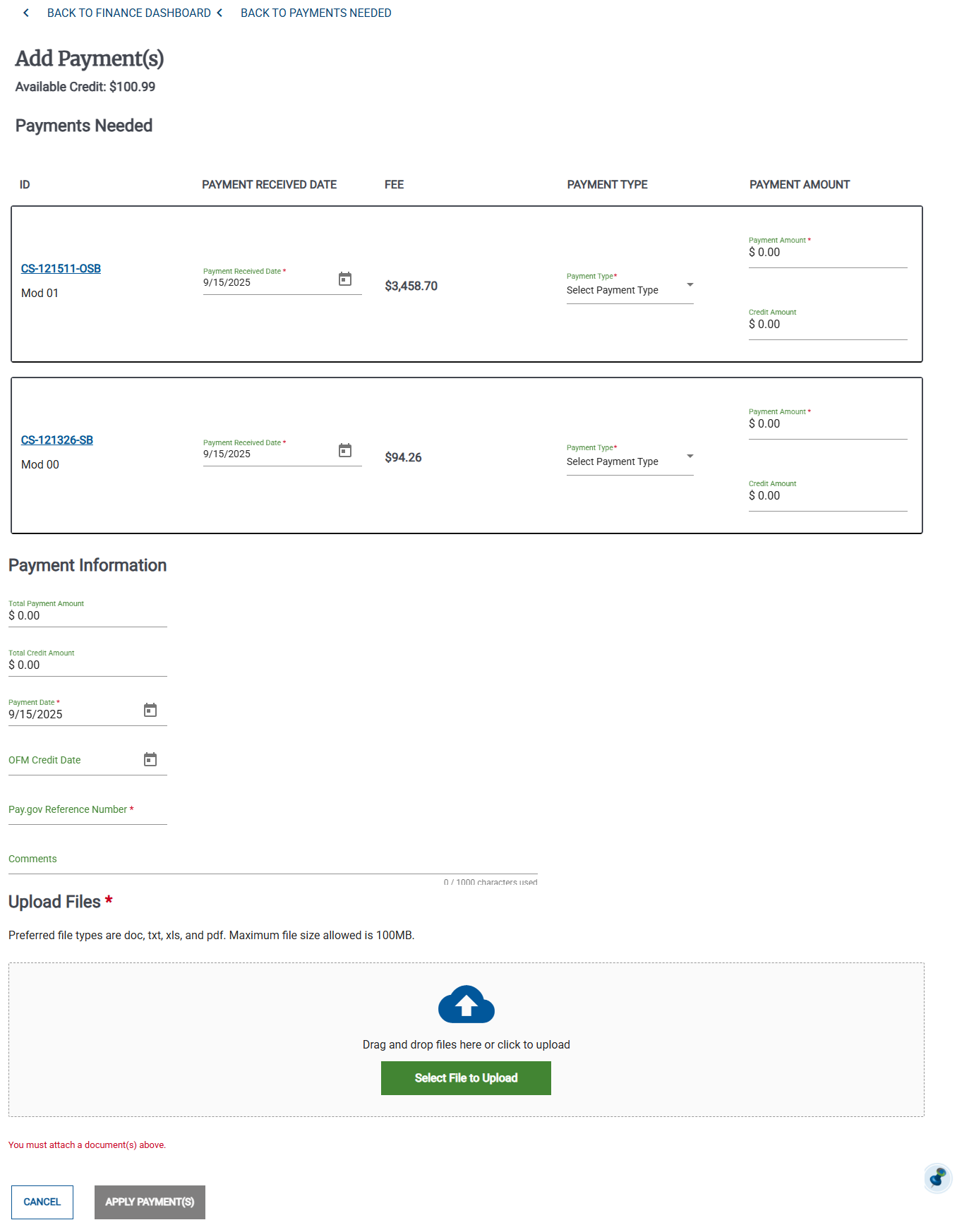
For each order, do the following:
Select the Payment Received Date.
In the Payment Type drop-down list, select Partial Credit.
Enter the Credi
Select the Payment Received Date.
In the Payment Type drop-down list, select Partial Credit.
Enter the Credit Amount.
Enter the following information:
Payment Date
OFM Credit Date
Pay.gov Reference Number
Comments
Review the credit details, then click Apply Payments. The payment moves to the Payment History.
