Contract Holder Activity and Metrics
The Contract Holder Activity and Metrics dashboard displays helpful metrics for planning and tracking your interaction with activities.
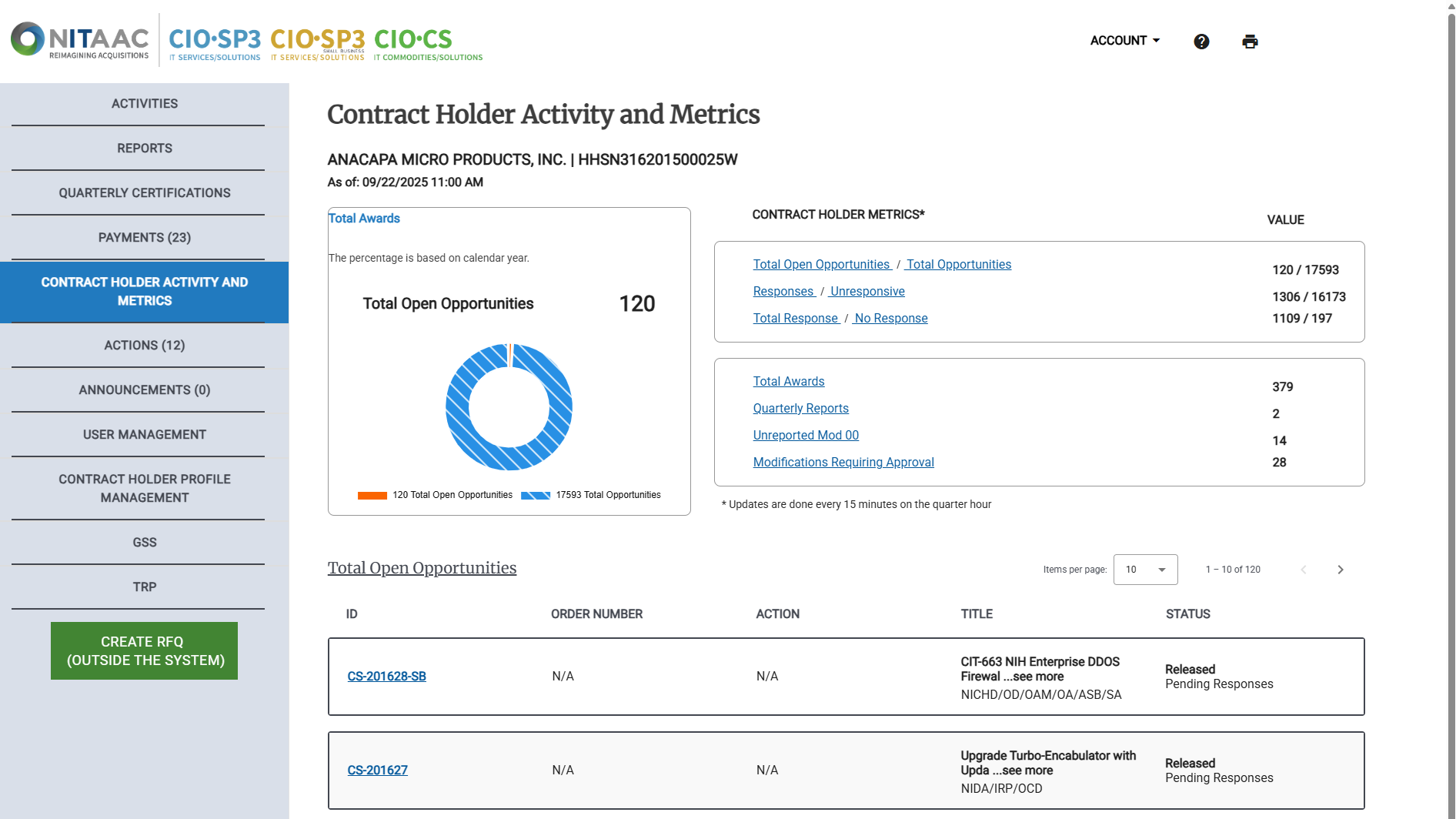
This dashboard has three distinct sections:
A visual display of the currently selected metric.
Links to select a particular metric.
Total Open Opportunities / Total Opportunities
Responses / Unresponsive
Total Bid / No Quote
Total Awards
Quarterly Reports
The list of orders or actions for the currently selected metric.
For more information, see: Contract Holder Activity and Metrics (Dashboard).
To View Contract Holder Activity and Metrics
In the Left Rail, click Contract Holder Activity and Metrics.
Tip
By default, when you open the Contract Holder Activity and Metrics page, the Total Open Opportunities list appears.
Click any of the links in the Contract Holder Metrics area to view information about your performance on that metric.
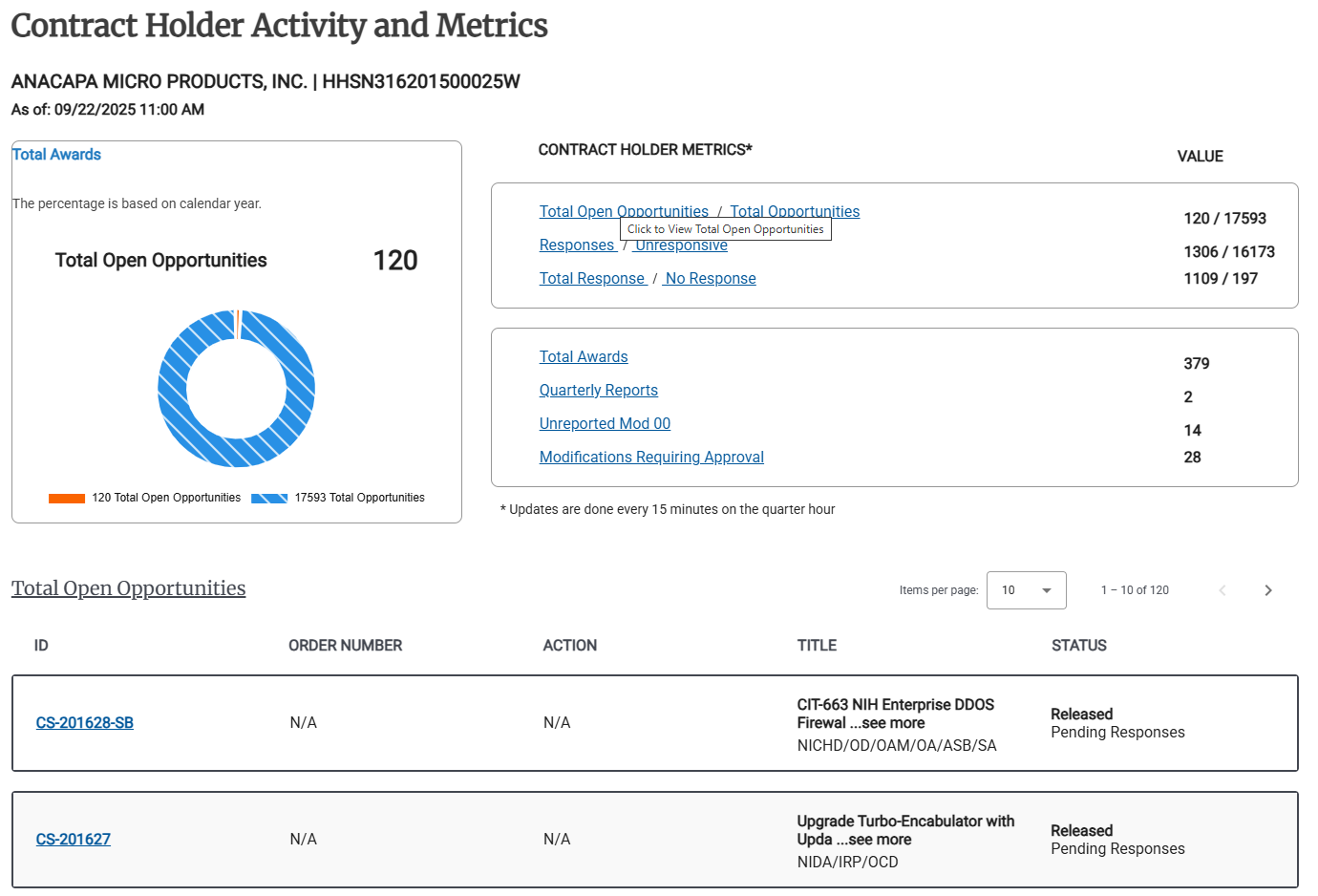
Example: Total Open Opportunities
Click any ID to view the details for a listed Activity.
Tip
Click the header of any column in the table to sort by that column. Click again to reverse the sort order. You can only sort on a single column at a time.
An arrow pointing up in the heading for a column ( ) indicates that the table is sorted in ascending (a-z, 0-9) order on that column.
An arrow pointing down in the heading for a column ( ) indicates that the table is sorted in descending (z-a, 9-0) order on that column.