Rejected CLINs
You can view rejected CLINs on the Rejected CLINs page.
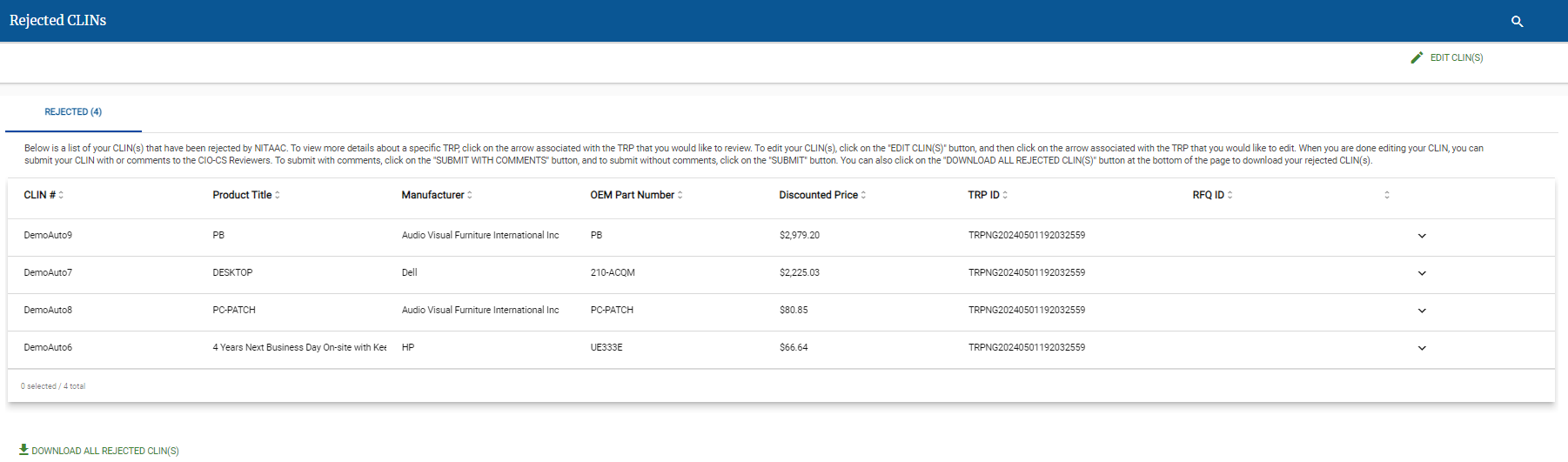
There are multiple reasons a CLIN might be rejected on a TRP, and multiple methods for correcting rejected CLINs.
To View Rejected CLINs
Click the Rejected CLINs tab on the top menu.

Click
 to view the rejection reason for a specific CLIN.
Review the Rejection Reason message.

Tip
The Rejection Reason will start with the date of the rejection.
Note
Additional system messages may appear above the Rejection Reason message.
See one of the following to resolve the Rejected CLIN.
To Edit Rejected CLIN(s)
On the Rejected CLINs page, click Edit CLIN(s).
Click
next to the CLIN that you want to edit.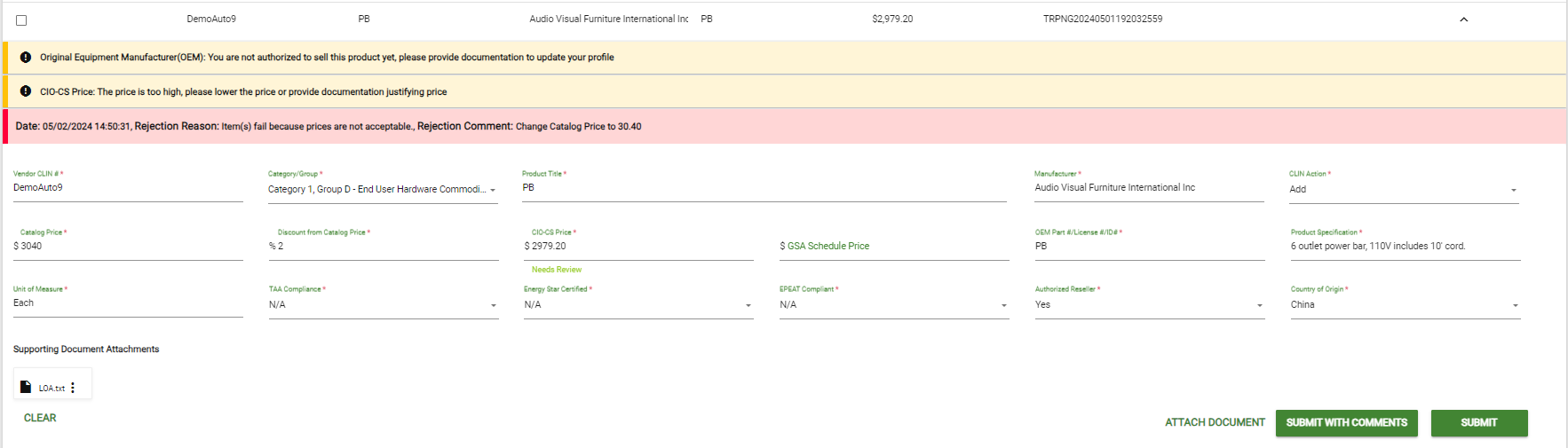
Make any needed changes to the CLIN.
Do one of the following:
Repeat as needed for additional Rejected CLIN(s).
To Download Rejected CLIN(s)
On the Rejected CLINs page, click Download All Rejected CLINs.
In the confirmation pop-up, click
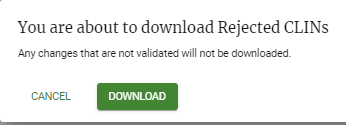
The Excel file containing the list of rejected CLINs appears in your downloads folder.
To Make Bulk Changes to Multiple Rejected CLIN(s)
On the Rejected CLINs page, click Edit CLIN(s) on the REJECTED CLINS tab.
Do one or more of the following to make bulk changes:
Change Categories for multiple CLINs
Select the checkbox (
 ) for each CLIN that you want to reassign to the same category.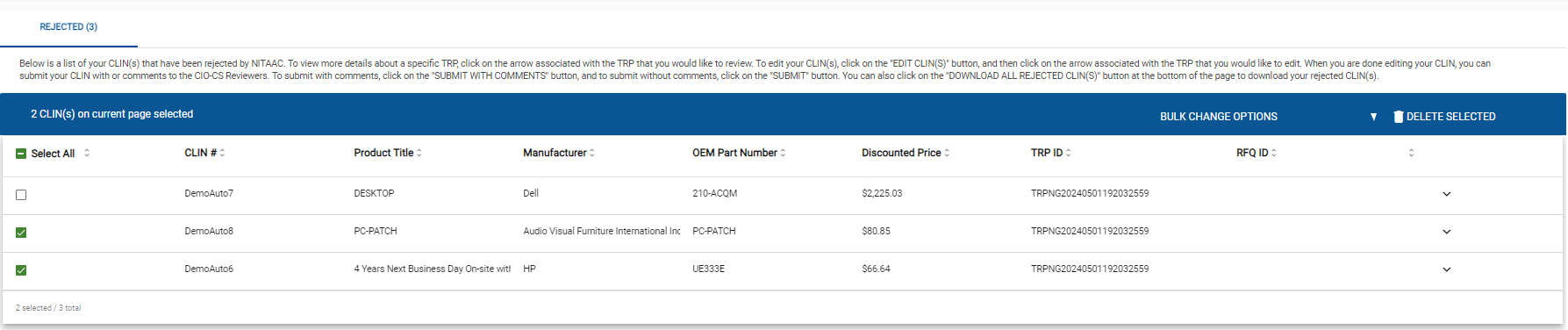
Important
You should only use bulk Change Categories if the new category is the same for all selected CLIN(s).
Click Bulk Change Options.
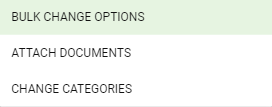
Click Change Categories. The category selection pop-up appears.
Select the new category in the Category/Group drop-down list.
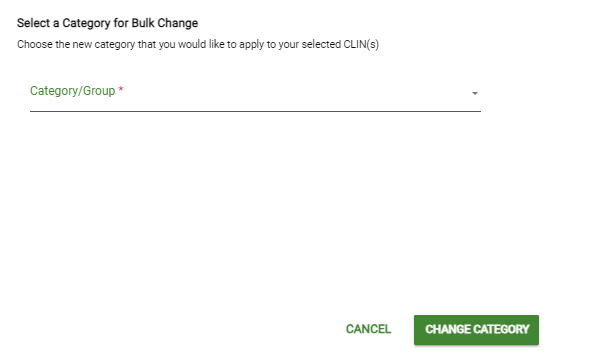
Click Change Category.
Attach Documents to multiple CLINs
Select the checkbox (
) for each CLIN that you want to attach the same files to.Important
You should only use bulk Attach Documents to attach the same files to all selected CLIN(s).
Click Bulk Change Options.
Click Attach Documents.
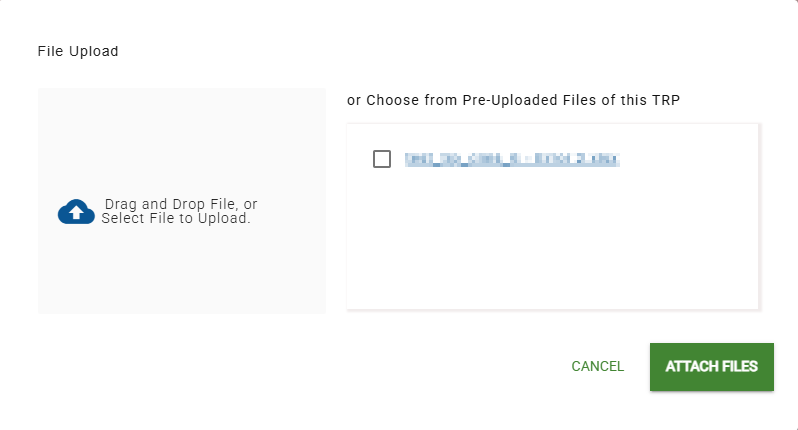
In the File Upload page, do one of the following:
Drag and drop one or more files to upload to the Drag and Drop File area.
Click Drag and Drop File, or Select File to Upload and select one or more files to upload.
In the Choose from Pre-Uploaded Files of this TRP area, select the checkbox for any file that you want to attach.
Tip
When you upload a file, it appears in the Pre-Uploaded files area, with its checkbox selected.
Click Attach Files.
Click
next to an updated CLIN.Do one of the following:
Repeat as needed for additional Rejected CLINs.