Quarterly Activity Report
The Quarterly Activity Report lists awards or modifications entered during the applicable quarter.
The report is generated on the first day of the new quarter. The report covers the previous quarter and includes all approved Activity.
You must certify the Quarterly Activity report every quarter.
For more information, see: To Certify Your Quarterly Activity Report.
To Certify Your Quarterly Activity Report
Certification by Contract Holder Program Manager
Only the Contract Holder Program Manager certifies Quarterly Reports and the Contract Holder Profile.
If Quarterly Reports and the Contract Holder Profile do not appear, your role does not allow you certify. Your company can have one Contract Holder Program Manager assigned.
On the Left Rail, click Quarterly Certifications on the Left Rail. The Quarterly Certifications page appears.
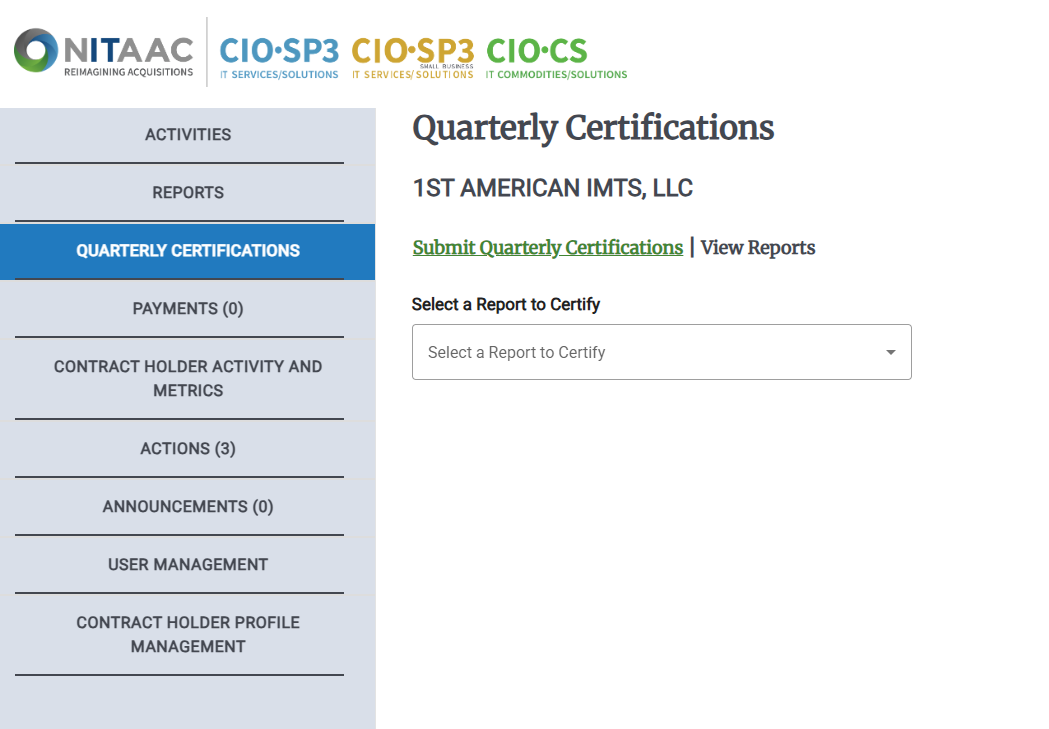
Select a report to certify from the Select a Report to Certify drop-down list.
Click Quarterly Activity Report. The list of available reports for certification appears.
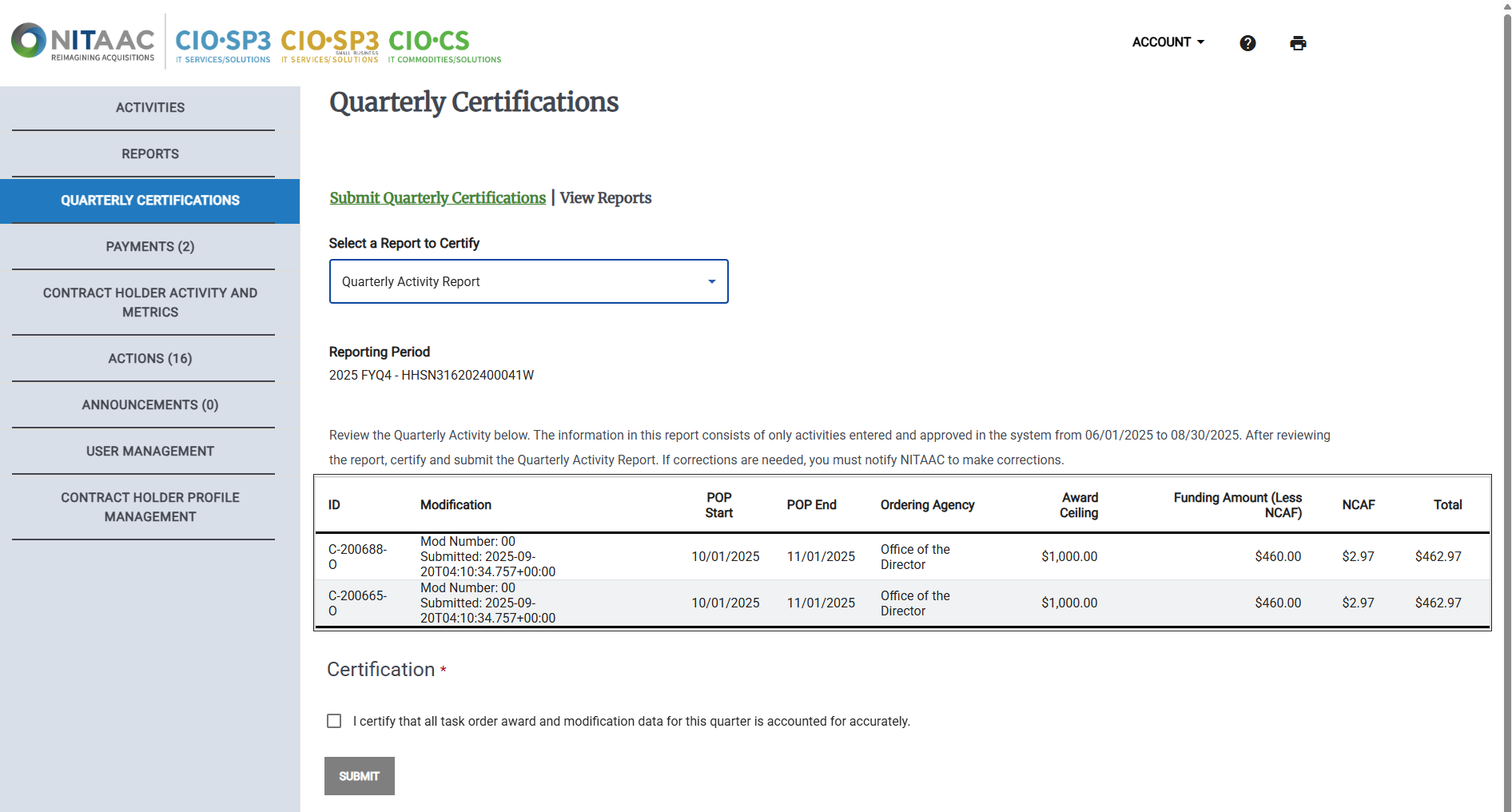
Select a report from the Select Reporting Period drop-down list.
Important
If there is more than one report available, you should certify the oldest report first, then certify additional reports if needed.
Select the I certify that all task order award and modification data for this quarter is accounted for accurately checkbox.
Click Submit. A confirmation message appears. The certified report will no longer appear in the Select Reporting Period drop-down list.